
Last Updated: March 2026
- Screen size is not the same as body size: A "15-inch" bag is sized for the laptop body, not the screen diagonal. MacBook and Windows dimensions differ significantly, even at the same screen size.
- Always check the sleeve's internal dimensions: The sleeve width and height matter far more than any size label. Aim for at least 0.6 inches (1.5 cm) of clearance on all sides.
- MacBooks run smaller than most Windows PCs: A bag designed for MacBook dimensions may be too narrow for a 15.6-inch Windows laptop, even at the same listed screen size.
- 16-inch MacBook Pro owners face the trickiest fit: This laptop sits in a gap between most "15-inch" and "17-inch" bag labels. Look specifically for bags listed as "16-inch compatible."
- Measure your laptop before you shop: Width, depth, and thickness. Add 1.5 cm clearance to each, then compare those numbers directly against the product spec.
WHAT YOU NEED TO KNOW
- MacBook Pro 16-inch (M4) dimensions: 14.01 x 9.77 x 0.66 inches (35.6 x 24.8 x 1.68 cm). Needs a sleeve of at least 14.5 x 10.25 inches.
- MacBook Air 13-inch (M3) dimensions: 11.97 x 8.46 x 0.44 inches (30.4 x 21.5 x 1.12 cm). Fits comfortably in any bag labelled 13-inch or larger.
- PC laptops vary significantly: A 15.6-inch Windows laptop typically measures 14 to 14.5 inches wide, about 2 to 3 cm wider than a MacBook 15-inch at the same screen size.
- Clearance rule: Your laptop's body dimensions should be 0.2 to 0.4 inches smaller than the sleeve's internal dimensions, as confirmed by Yukon Bags' workshop sizing guide.
- Padding matters: Felt-lined sleeves protect against scratches. Foam-padded sleeves absorb drops. For daily commuting, foam is worth the extra cost.
- Hard-shell case users: If you carry your laptop inside a hard shell case, measure the laptop with the case on. That combined dimension is what needs to fit the sleeve.
A question that comes up constantly on bag forums and Reddit threads goes something like this: "I just ordered a leather laptop bag labelled 15-inch. Will it fit my 15.6-inch Dell?"
The answer is almost always no, and the reason is something that neither the laptop manufacturer nor the bag manufacturer ever explains clearly up front.
The number on a laptop (13-inch, 15-inch, 16-inch) describes the diagonal measurement of the screen, not the width or height of the laptop's body.
And when it comes to fitting a laptop inside a genuine leather laptop bag, the body dimensions are the only numbers that actually matter.
This guide breaks down the exact dimensions for every current MacBook and common PC laptop size, explains how to measure your own machine in under two minutes, and shows you exactly which bag style fits each laptop size and use case.
Why the Size Label on a Leather Laptop Bag Is Misleading
A leather bag labelled "15-inch laptop bag" tells you that the sleeve was designed to hold a laptop with a 15-inch screen diagonal.
What it does not tell you is which laptop that actually means in practice.
This creates a very specific problem that frustrates buyers every day: a "15-inch" bag is almost always sized for the MacBook Pro 15-inch, which has a body width of around 13.75 inches (34.9 cm).
A 15.6-inch Windows laptop, however, such as the Dell XPS 15 or the HP Spectre x360, has a body width of around 14 to 14.5 inches (35.5 to 36.8 cm).
That 0.5 to 0.75-inch difference is enough to make the laptop either impossible to fit or dangerously tight inside a "15-inch" bag.
As the Yukon Bags sizing guide puts it directly: "The biggest mistake we see is buying a '14-inch sleeve' for a '14-inch laptop.' A 14-inch screen is a diagonal measurement, but the laptop's actual body is what needs to fit inside the sleeve."
The fix is simple, and it takes about two minutes: measure your actual laptop and compare those numbers against the bag's published sleeve dimensions.
MacBook Dimensions: The Exact Numbers to Know
Apple publishes precise dimensions for every current MacBook model on its product pages.
These figures are for the laptop body with the lid closed and do not include rubber feet.
| MacBook Model | Width | Depth | Thickness | Minimum Sleeve Size |
|---|---|---|---|---|
| MacBook Air 13" (M3) | 11.97 in / 30.4 cm | 8.46 in / 21.5 cm | 0.44 in / 1.12 cm | 12.6 x 9.1 inches |
| MacBook Air 15" (M3) | 13.40 in / 34.0 cm | 9.35 in / 23.8 cm | 0.45 in / 1.15 cm | 14.0 x 9.95 inches |
| MacBook Pro 14" (M4) | 12.31 in / 31.3 cm | 8.71 in / 22.1 cm | 0.61 in / 1.56 cm | 12.9 x 9.3 inches |
| MacBook Pro 16" (M4) | 14.01 in / 35.6 cm | 9.77 in / 24.8 cm | 0.66 in / 1.68 cm | 14.6 x 10.4 inches |
The "minimum sleeve size" column adds 0.6 inches of clearance to both the width and depth, which is the amount recommended by specialist bag makers for a comfortable, damage-free fit.
A sleeve sized exactly at your laptop's dimensions is not a fit. It is a forced entry that will scratch the lid over time and gradually strain the bag's seams at the corners.
On the flip side, if the sleeve is more than an inch larger than your laptop's body, the laptop will slide around inside the bag, which causes its own problems on cobblestones, bus rides, and escalators.

The 16-Inch MacBook Pro Problem That Nobody Talks About
The MacBook Pro 16-inch sits in a genuinely awkward gap in the leather bag market, and it creates more buying frustration than any other laptop size.
At 14.01 inches wide, it is too large for the vast majority of bags labelled "15-inch laptop bag," which are sized for the MacBook 15-inch at 13.75 inches.
But it is also considerably narrower than most 17-inch Windows laptops, which means bags labelled "17-inch" often feel oversized and unwieldy around it.
A thread on MacRumors Forums about professional bags for the 16-inch MacBook Pro makes this exact point, noting that bags advertised for 15-inch laptops can still fit the 16-inch MBP, but buyers are advised to verify internal measurements before purchasing rather than relying on the label.
The practical solution for 16-inch MacBook Pro owners is to ignore the generic size label entirely and search instead for bags that explicitly list a sleeve width of at least 14.5 inches (or 37 cm).
Any bag meeting that measurement will hold the MacBook Pro 16-inch comfortably without the bulk of a 17-inch-oriented design.
For professionals who also need a structured carrying option alongside their backpack, our guide to choosing the right size leather briefcase covers how briefcase sizing maps to larger laptop dimensions.
Common Windows PC Laptop Dimensions
Windows laptops vary in body size far more than MacBooks because manufacturers have no shared design standard.
The table below covers the most commonly purchased PC laptop screen sizes and their typical body measurements across popular brands.
| Screen Size | Typical Body Width | Typical Body Depth | Minimum Sleeve Size Needed | Bag Label to Look For |
|---|---|---|---|---|
| 13-inch PC | 11.8 to 12.2 in | 7.9 to 8.3 in | 12.8 x 9 inches | 13-inch or 14-inch |
| 14-inch PC | 12.2 to 13.0 in | 8.3 to 9.0 in | 13.6 x 9.6 inches | 14-inch or 15-inch |
| 15.6-inch PC | 14.0 to 14.5 in | 9.0 to 9.8 in | 15.1 x 10.4 inches | 15.6-inch or 16-inch |
| 17-inch PC | 15.4 to 16.1 in | 10.2 to 11.0 in | 16.7 x 11.6 inches | 17-inch |
The 15.6-inch PC category is where most sizing problems happen.
Users on forums like PurseForum who upgraded to a larger work laptop frequently report that bags they previously used with a 13-inch or 14-inch laptop simply cannot accommodate a 15.6-inch machine, not because the bag looks smaller, but because the sleeve is 1 to 2 inches too narrow at the internal measurement.
If you use a 15.6-inch Windows laptop, always look for bags that specifically state 15.6-inch or 16-inch compatibility in the product description, not just "15-inch."
EXPERTLY CRAFTED GENUINE LEATHER
Leather Laptop Bags With Sleeve Dimensions Listed in Every Spec
Every Anuent leather laptop bag lists exact internal sleeve measurements so you can buy with confidence, not guesswork. Free shipping to USA, UK, and Canada. Free monogramming on every order.
How to Measure Your Laptop Correctly (The Two-Minute Method)
"Just measure your Mac versus the space you want to place it" is advice that sounds obvious, but almost nobody follows before buying.
The result is that returns for leather laptop bags are disproportionately high compared to other bag categories. This is not because of quality issues but because of size mismatches that a tape measure would have prevented in under two minutes.
Knomo, one of the longest-established specialist laptop bag brands, has published a measuring guide that confirms the issue plainly: the inch size of your laptop describes the screen's diagonal measurement, which includes the bezel, and can therefore add an extra inch onto the actual laptop body size that matters for bag fit.
Here is the exact method to measure any laptop correctly:
- Close your laptop and place it flat on a table.
- Measure the width: the longest side from left edge to right edge. Do not include rubber bumpers or feet.
- Measure the depth: from the front edge to the back edge of the laptop body.
- Measure the thickness: from the base to the top of the lid at the thickest point. This matters especially for gaming laptops and older professional machines.
- Add 0.6 inches (1.5 cm) clearance to the width and depth figures. That adjusted number is your minimum required sleeve size.
If you carry your laptop inside a protective hard shell case, remember to measure the combined dimensions of laptop plus case.
As Yukon Bags notes in their sizing playbook: "Our sleeves are designed for a naked laptop. If you use a permanent hard-shell case on your MacBook or Dell, you must measure your laptop with the case on and use those new, larger dimensions."

Which Leather Bag Style Fits Which Laptop Size and Lifestyle
The style of bag you choose affects daily comfort just as much as whether the laptop physically fits.
Each style has practical strengths and weaknesses that become very noticeable once you are carrying a heavy machine across a real commute.
For a direct comparison of the two most popular carry styles, our leather messenger bag vs backpack guide covers the key trade-offs in depth.
Leather Backpacks: Best for 15-Inch and 16-Inch Laptops on Long Commutes
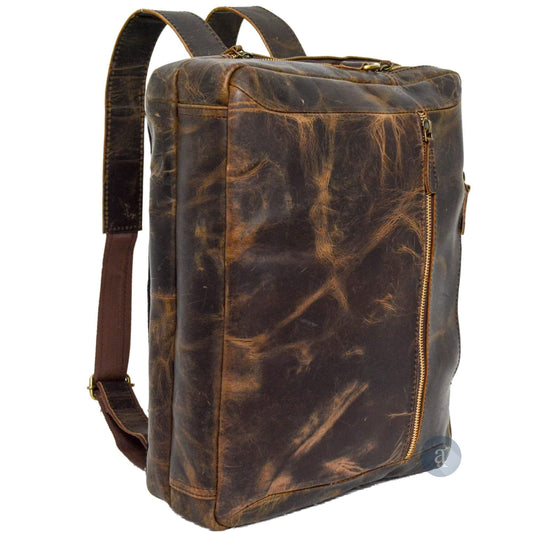
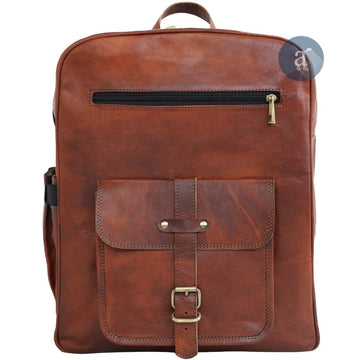
A leather backpack distributes a laptop's weight evenly across both shoulders, which makes a meaningful physical difference when you are carrying a 16-inch MacBook Pro that weighs 2.15 kg before you add a charger and accessories.
The padded laptop sleeve in most leather laptop backpacks sits against the back panel, which places a layer of foam and leather between your laptop and anything that might strike the bag from behind, the most common direction of impact in a busy commuter environment.
Backpacks are also the only style that comfortably accommodates 15.6-inch and 17-inch Windows laptops without looking disproportionate or feeling unwieldy on the shoulder.
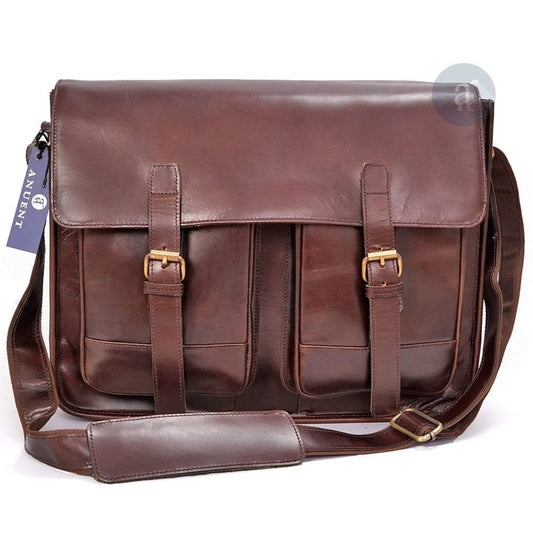
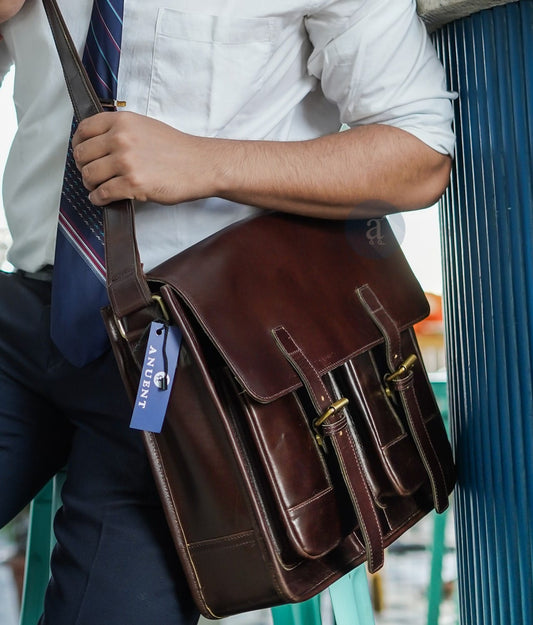
Leather Messenger Bags: Best for Up to 15-Inch Laptops in Office Environments
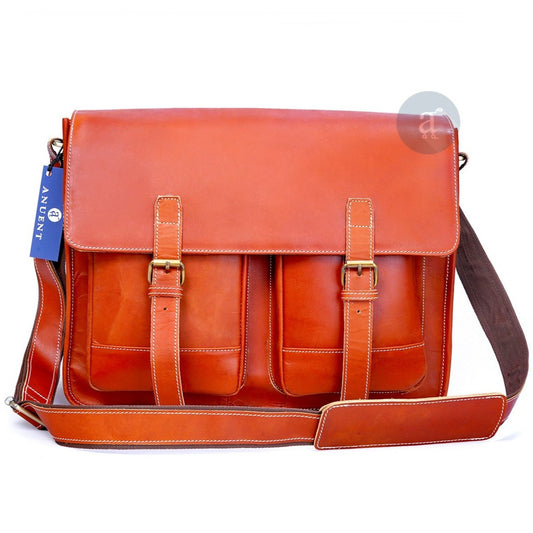
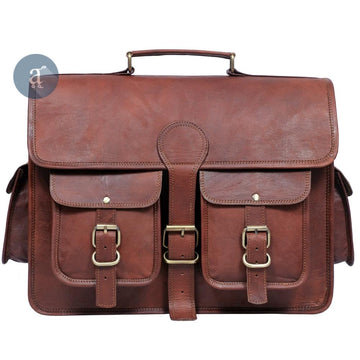
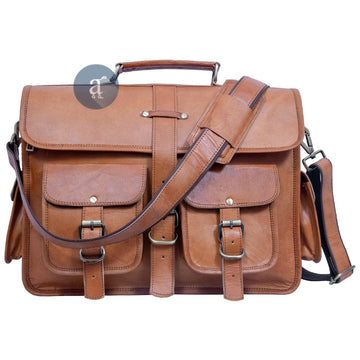
Leather messenger bags offer faster access to the laptop than a backpack, with no swinging the bag around and no hunting for the top zip, which matters when you are pulling your machine out four or five times a day in meetings, airport security queues, or hot-desk environments.
The trade-off is weight distribution: everything goes on one shoulder, and once the laptop exceeds 15.6 inches, most people find the one-shoulder carry uncomfortable for commutes longer than twenty minutes.
When selecting a leather messenger bag for laptop use, check that the bag has a dedicated zip-down compartment or padded sleeve rather than a loose main body where the laptop can shift against keys, cables, and other accessories.
Our article on what to look for in a quality leather backpack also applies here: padding material, strap quality, and construction are the same evaluation criteria across both styles.
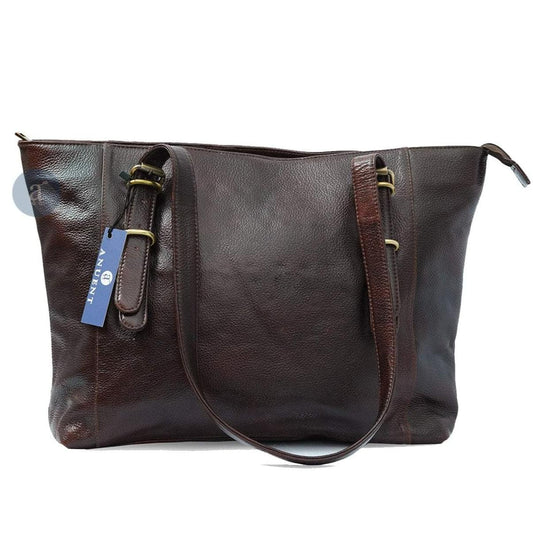
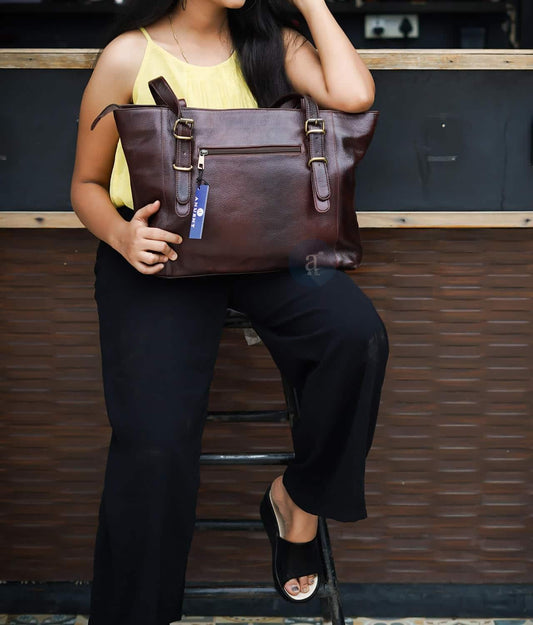
Leather Tote Bags: Best for 13-Inch and 14-Inch Laptops in Professional Settings
A recurring complaint on bag communities like PurseForum goes something like: "I love tote bag style laptop bags, but thin leather straps dig in and my phone slips to the bottom when I'm rushing."
Both problems point to the same root cause: standard leather totes without a dedicated padded sleeve and a structured base are not designed for daily laptop carrying, even if the laptop physically fits in the opening.
For a tote to work as a genuine laptop bag, it needs three things: a padded laptop sleeve, a zippered or secured top closure to prevent the laptop from shifting when the bag tilts, and reinforced straps wide enough to distribute the weight across the shoulder.
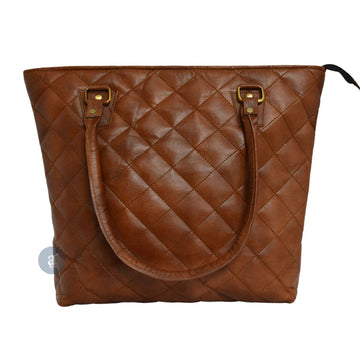
Leather tote bags that include all three features work excellently for 13-inch and 14-inch laptops in professional settings where the polished appearance matters as much as the carry experience.
The Details Nobody Checks Until After They Have the Bag
Sleeve dimensions are the most important measurement, but three further details are worth checking in the product specification before you buy.
Which Direction Does the Sleeve Open?
Most padded sleeves open from the top, which is convenient but means the laptop can shift when the bag is carried at an angle or on a tilted escalator.
A back-panel sleeve opens from the back of the bag and is more secure for fast-moving commuters.
If you travel through busy stations or airports regularly, a back-panel sleeve is worth prioritising over the more common top-entry design.
What Is the Sleeve Lined With?
Felt or microfibre lining protects against surface scratches when the laptop slides in and out.
Foam padding absorbs impact from drops and bumps. A felt-only sleeve does not.
For daily commuting, especially on buses or trains where the bag gets placed on floors and overhead racks, foam padding is worth the marginal added weight.
How Much Space Is Left After the Laptop?
A bag sized for a 16-inch laptop may still feel cramped if the laptop sleeve takes up most of the interior, leaving almost no room for a charger, notebook, or water bottle.
Check how many secondary pockets the bag has alongside the laptop sleeve, and compare the bag's total main compartment dimensions against your typical daily carry.
Most experienced leather bag buyers find that choosing a bag one size up from their laptop gives the most practical daily experience without adding unnecessary bulk to the bag's overall profile.
Quick Reference: Laptop to Leather Bag Size
Use this table as a final summary when shopping.
| Your Laptop | Min. Sleeve Width Needed | Bag Label to Search For | Best Carry Style |
|---|---|---|---|
| MacBook Air 13" (M3) | 12.6 inches / 32 cm | 13-inch or 14-inch | Backpack, messenger, or tote |
| MacBook Air 15" (M3) | 14.0 inches / 35.5 cm | 15-inch | Backpack or messenger |
| MacBook Pro 14" (M4) | 12.9 inches / 33 cm | 14-inch or 15-inch | Backpack or messenger |
| MacBook Pro 16" (M4) | 14.6 inches / 37 cm | 16-inch (not 15-inch) | Backpack |
| PC 13-inch | 12.8 inches / 32.5 cm | 13-inch or 14-inch | Backpack, messenger, or tote |
| PC 14-inch | 13.6 inches / 34.5 cm | 14-inch or 15-inch | Backpack or messenger |
| PC 15.6-inch | 15.1 inches / 38.5 cm | 15.6-inch or 16-inch | Backpack |
| PC 17-inch | 16.7 inches / 42.5 cm | 17-inch | Backpack |
Frequently Asked Questions
What size leather laptop bag fits a 16-inch MacBook Pro?
The MacBook Pro 16-inch (M4) measures 14.01 x 9.77 x 0.66 inches (35.6 x 24.8 x 1.68 cm).
You need a bag with a laptop sleeve at least 14.5 inches wide by 10.25 inches tall (roughly 37 cm x 26 cm) for a comfortable fit with enough clearance to slide the laptop in and out without effort.
Never buy a bag where the sleeve dimensions are the same as your laptop's body: that creates a forced fit that strains the seams and risks scratching the lid.
Will a bag labelled "15-inch laptop" fit a 15.6-inch Windows laptop?
Usually not.
A "15-inch" label is almost always sized for the MacBook Pro 15-inch, which measures around 13.75 inches wide.
Most 15.6-inch Windows laptops measure 14 to 14.5 inches wide, a gap of 0.25 to 0.75 inches that is enough to prevent a comfortable fit.
Always check the sleeve's internal dimensions rather than relying on the size label.
How should I measure my laptop before buying a leather bag?
Close your laptop flat on a table.
Measure the width left to right, the depth front to back, and the thickness from base to lid at the thickest point.
Add 0.6 inches (about 1.5 cm) of clearance to the width and depth figures.
That adjusted number is your minimum required sleeve size. Compare it directly against the bag's product spec before purchasing.
Which leather bag style is best for carrying a laptop every day?
For long daily commutes, a leather backpack is the most ergonomic choice because it spreads weight across both shoulders.
A leather messenger bag is better for short commutes or office environments where quick, one-handed laptop access matters.
Leather tote bags suit professional settings but need a dedicated padded sleeve and zippered top to work safely as daily laptop carriers.
Can a 16-inch MacBook fit in a bag labelled for 15-inch laptops?
Rarely, and it is not advisable even when it physically squeezes in.
The MacCase sizing team notes that forcing a 16-inch machine into a 15-inch bag risks a tighter fit that makes sliding in and out difficult, straining the seams and reducing protection over time.
Always buy a bag sized specifically for 16-inch laptops.
What is the difference between a laptop sleeve and a laptop compartment?
A laptop sleeve is a dedicated padded pocket, typically felt or microfibre lined, sized specifically for a single laptop.
A laptop compartment is a full section of the bag separated from the main body by its own zip, and it may or may not have padded walls.
For daily commuting, a padded sleeve offers better scratch and drop protection than a loose compartment.
Do MacBooks fit bags designed for Windows laptops of the same screen size?
Yes, in almost all cases.
MacBooks are slimmer and have a smaller overall body footprint than Windows laptops at the same screen size.
A bag designed for a 15.6-inch Windows laptop will hold a MacBook 15-inch comfortably.
The reverse is not always true: a bag designed specifically for MacBook dimensions can be too narrow for a Windows laptop at the same screen size.
Is a 13-inch leather laptop bag practical for daily use?
Yes, for a focused daily carry.
A 13-inch leather laptop bag suits commuters who carry only a laptop, charger, wallet, and a few small accessories.
If you regularly carry documents, a large water bottle, or additional tech, a 15-inch or larger bag will serve you better.
The 13-inch size delivers a clean, slim profile that works particularly well in professional and business casual environments where a smaller carry looks intentional rather than underprepared.
Conclusion
Getting the right leather laptop bag comes down to one habit: measuring your laptop's body before you shop, rather than trusting the screen-size label on the listing.
MacBook and Windows users at the same screen size need meaningfully different sleeve dimensions, and this difference is most critical at the 15-inch and 15.6-inch sizes, where the MacBook and PC footprints diverge most significantly.
The two-minute measuring process (width, depth, thickness, plus 0.6 inches of clearance) prevents the sizing mismatch that accounts for most leather laptop bag returns.
Browse the full range of leather laptop bags at Anuent, where each product listing includes exact internal sleeve dimensions alongside the bag's overall measurements, so you can match your laptop to the right bag with confidence.
If you carry a 16-inch MacBook Pro and want a bag built for daily commuting across long distances, the leather backpack collection includes styles sized specifically for 16-inch laptops with padded back panels and wide, adjustable shoulder straps designed for all-day carry.
GENUINE LEATHER. PROPER FIT. FREE SHIPPING.
Find a Leather Laptop Bag That Actually Fits Your Machine
Every Anuent bag lists exact sleeve dimensions so you buy with confidence, not guesswork. Free shipping to USA, UK, and Canada. Free monogramming on every order.